Business process automation, workflows, and systems integration

Automation for repetitive processes and integration across CRM, ERP, billing, email, and the applications a team already uses.

Evidence level
First-party method and artifact
Editorial owner
AutomateFlow · Technical review
Fact-checked
Next review
On this page

Direct answer

Business process and workflow automation fit when the same information moves repeatedly between tools, the rules are clear enough to state, and an owner can verify the result. The decision here is about connection and control: keep the systems that each do a useful job, connect them through explicit integrations, and automate only the steps that do not require commercial or exceptional judgment.

We do not start with a connector count. We start with one concrete workflow, the system of record for each field, and what must happen when an integration is delayed or fails.

Operational situation

A workflow becomes an integration candidate when a team moves the same information between forms, inboxes, a CRM, project software, billing, or internal systems. The data may be correct in each place, yet coordination still lives in people's memory. A change in one system does not reach the next owner, and the real state is reconstructed from messages and spreadsheets.

The aim is not to replace every tool. It is to make the input, state, owner, output, and exception path visible for a workflow with enough volume or coordination cost to justify the change.

Recognizable symptoms

  • The same record is copied manually into two or more places.
  • People check duplicates, missing fields, or ownership before work can begin.
  • A status change in one system must be announced separately by email or chat.
  • Retrying after an error creates duplicates, or no one knows who should intervene.
  • Reports differ because each team uses a different definition for the same state.
  • An owner can describe the normal path but not what happens after a delay, cancellation, or conflicting data.

What must be understood before implementation

Before writing an automation, document the event that starts the workflow, accepted inputs, required fields, system of record, transformation rules, responsible person, and verifiable outcome. Also define what “complete” means: a synchronized record, an approval, a sent message, or an action completed in another system.

For every connection we ask: is legitimate access available, is there a stable identifier, can duplicates be prevented, what service-availability constraints apply, and how will we see the last successful sync? If the answer is unknown, reduce that uncertainty first; do not hide it inside a connector.

When standard software is enough

Standard software is enough when the team can configure the needed fields, roles, notifications, and states without losing control of the process. If the problem is an unused rule, a poorly configured form, or a missing work view, configuration is easier to maintain than a new integration.

The recommendation may be to build nothing custom when the workflow is rare, changes every week, or has no active owner. An unstable process does not become clear merely because it receives a connector.

When integration is appropriate

Integration is justified when existing systems each have a valid role, but manual exchange between them causes delay, errors, or poor visibility. Connect only the events and fields needed, with a documented mapping and a conflict rule.

A typical pattern: a sales system owns the customer and engagement, a work tool owns activities, and a document space owns deliverables. Integration can pass identifiers and state changes without pretending all three systems are the source of truth for the same field.

When repetitive-process automation is appropriate

Deterministic automation fits validation, deduplication, normalization, routing, synchronisation, notification, and state logging. The rule must be explainable before execution and testable with normal, missing, duplicate, and conflicting inputs.

We do not automate a decision merely because it occurs often. If the result changes an offer, a deadline, access, or a customer relationship, the workflow pauses for approval whenever the rule does not cover the case.

When custom software is appropriate

A custom operational application is justified when the team needs one shared surface for state, ownership, approvals, and exceptions, and connected tools cannot represent the process without fragile workarounds. Integration remains the connection layer; the application should not automatically become a second source of truth.

Build the narrow valuable path first. Extend to every request or service type only after the first version's states and responsibilities have been accepted.

Where bounded AI may help

AI can extract fields from a request, summarize history for the next owner, or propose a category when the input is free text. The result remains a proposal, with its source and confidence visible. Deterministic rules control identifiers, duplicates, permissions, and state changes.

AI should not decide alone which account to modify, send commercial messages, or overwrite an official source. When the input is ambiguous, the workflow creates a human exception.

Deterministic and human responsibilities

Swipe or scroll to compare the columns.

ResponsibilityDeterministic systemResponsible person
Identity and dataValidates fields, normalizes values, and checks duplicatesResolves identity conflicts and approves unusual corrections
State and routingApplies documented transitions and routing rulesDecides exceptions and process changes
CommunicationPrepares technical notifications and records executionApproves messages with commercial or contractual impact
Failure and recoveryRetries within defined limits, logs, and alertsTakes the exception queue and decides whether to resume or correct

Working artifact: decision table for one step

Complete the table for each candidate step. An “unknown” is a clarification task, not a reason to guess.

Swipe or scroll to compare the columns.

Current stepSystem of recordRepeatable rule?Integration needed?Can be automated?Human approvalFailure path
Example: copying a requestTo be definedPartialProbablyAfter deduplicationYes, for conflictsException queue

This is an analysis template, not a promise that every named system can be connected or that integration is available without checking access and data policy.

Dependencies, risks, and limitations

  • The schema, permissions, and availability of each connected system can constrain the workflow.
  • Unstable identifiers and fields edited in multiple places can create conflicts or duplicates.
  • Rate limits, API changes, service outages, and expired authorization require monitoring and recovery procedures.
  • An integration does not repair contradictory rules, incorrect historical data, or missing ownership.
  • An automation can execute a wrong rule very quickly; acceptance and logging are required before expansion.
  • Security, retention, and data-processing details must be set by the company and reviewed before implementation.

Relevant public examples

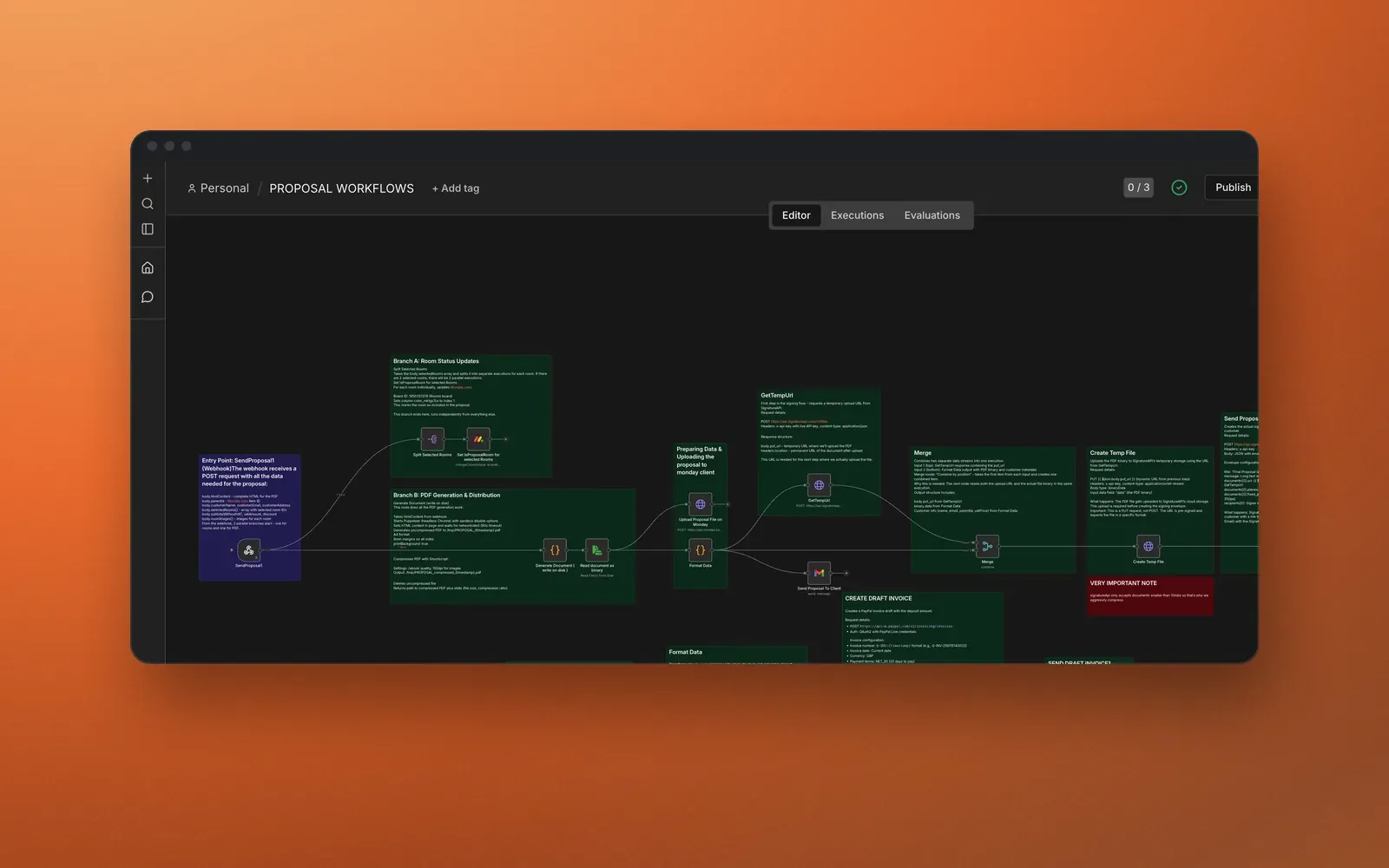
PaxBespoke operations automation is a published case study about connecting customer records, consultations, proposals, signatures, deposit invoices, and staged follow-up. The page keeps people responsible for measurements, prices, and exceptions; it does not publish an outcome metric.

DANOVA NEXT accessible travel platform documents a multilingual application that centralizes accessibility information supplied by transport partners. It is a documented public project, and data freshness depends on partner sources and responses.

Proportionate next step

Start with the table above for one workflow. Use the homepage workflow mapper for orientation, then review the guide to automating spreadsheet-dependent operations and the AutomateFlow methodology. The mapper does not replace technical discovery or owner approval.

If the problem is still unclear, the right next step is a mapping conversation, not a connector list. You can request a consultation with the current steps, systems, and the exception that costs the most time. Do not send credentials, customer data, or internal documents.

Method, definitions, and limits

By “integration” we mean controlled exchange of data or events between systems whose roles have been clarified. By “automation” we mean execution of an explicit rule with a log, state, and recovery path. By “standard software” we mean safe configuration of a product already in use; by “custom application” we mean an interface built for states, actions, and responsibilities that existing configuration does not express adequately.

The method is: map the current workflow, define fields and owners, decide on each step, design exceptions, implement a narrow release, and validate realistic scenarios. This page describes an implementation approach, not an assessment of your systems and not a guarantee of compatibility, savings, timing, or commercial outcome.

Material history

Initial public version or material revision.

Suggest a correction

Include the page and the source supporting the proposed change.

matei@automateflow.ro

Do you have a real workflow resembling this problem?

We map the steps, source systems, rules, exceptions, and ownership before recommending a build.

Book a consultation